Description
Product QA:
Help your customers make the right purchase decisions with Product Q&A for Magento 2, an interactive extension designed to guide shoppers toward the perfect product match. This smart Magento 2 Product Question and Answer Module allows store owners to create question-based product recommendations that actively engage buyers and simplify their purchase journey.
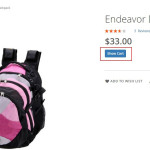
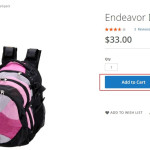
By asking a set of predefined questions before checkout, you can better understand your customers’ needs and ensure they buy the right product every time. The Add to Cart button becomes active only after customers provide the correct answers set by the admin, ensuring they select the most suitable item.
This intelligent approach not only improves product accuracy but also enhances customer confidence, reduces return rates, and transforms your store into a guided shopping experience.
Key Features & Benefits
Smarter Product Recommendations:
Help customers find the most suitable products through an intelligent Q&A flow that filters based on correct answers.
Reduced Returns & Replacements:
By ensuring customers purchase the right product, you minimize return requests and increase satisfaction.
Improved Customer Engagement:
Turn shopping into an interactive experience that builds confidence and trust in your brand.
Admin Flexibility:
Set multiple questions and correct answers for any product to control how recommendations are made.
Guided Shopping Experience:
Act like a digital salesperson recommend the right item instantly based on the shopper’s responses.
Enhanced Conversion Rate:
By leading customers to the best product fit, you encourage faster decisions and more successful purchases.
No Coding Needed:
Easily configurable from the backend without any technical expertise.
Tech Specifications:
| Last Update |
Oct 23, 2025 |
| Current Version |
2.4.0 |
| Compatible Browsers |
IE10, IE11, Firefox, Safari, Chrome, Opera |
| Files Included |
HTML, CSS, PHP, jQuery, Javascript JS, Ajax, PHTML, XML |
| Compatible Version |
Magento-2.x and later |
Installation
Installation steps:
- Unzip the Bootsgrid.zip files and upload it to your website folder app/code directory.
- Run the command php bin/magento setup:upgrade for enable the module
- Run the command php bin/magento setup:static-content:deploy.
- Login to admin panel and go to System->Cache Management. and clear the cache.
- If you change any config then don’t forget to clear the magento cache.
- Installation Done
All the best
If you need any help/questions/customization/ feel free and contact support.
Email : support@bootsgrid.com
Skype : bootsgrid technologies








Reviews
There are no reviews yet